Google Calendar has a small notification setting that can turn into a very noisy mailbox problem.
That is fine when it happens once. It becomes useless when a team updates many meetings at the same time. If 100 meetings are updated, you can get 100 emails in your mailbox.
The Problem Link to heading
Calendar email notifications are often redundant.
Google Calendar already shows the current state of the event. It shows the new time, the guest list, the response status, and whether the meeting was cancelled. For most people, that is enough.
The mailbox version is worse:
- it creates one email per event change
- it hides important email under calendar noise
- it makes bulk schedule changes painful
- it adds no useful context when the calendar itself is already the source of truth
This is especially annoying in companies where recurring meetings move often. A single reorganization, holiday adjustment, timezone cleanup, or room change can flood the inbox.
The Fix Link to heading
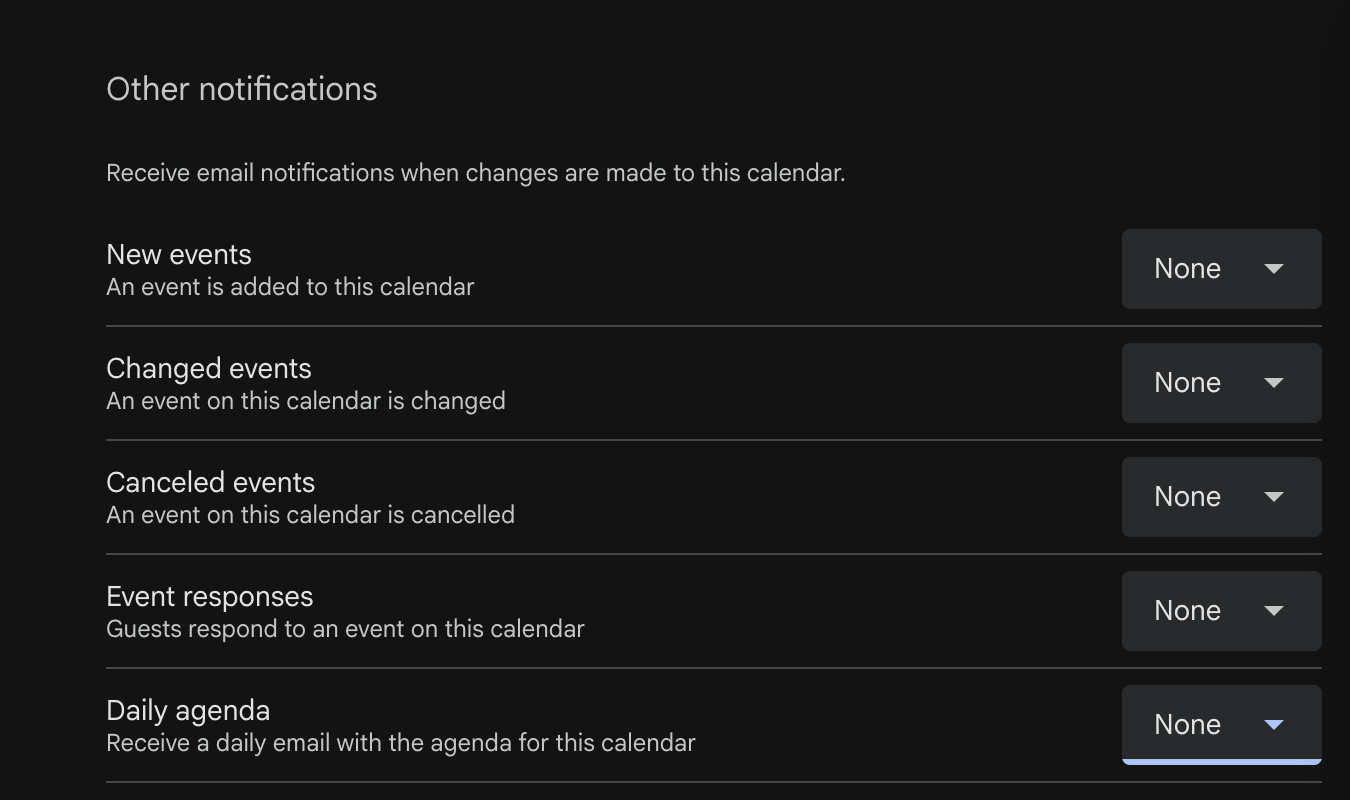
Disable the noisy Google Calendar notifications.
Go to:
- Google Calendar
- Settings
- Select your calendar
- Other notifications
Then turn off:
- Event updates
- Event responses
- Daily agenda, if you do not use it
The important one is Event updates. That is the setting that sends emails when events are changed, cancelled, or otherwise updated.
Why This Is Safe Link to heading
You are not disabling the calendar.
You are only disabling extra email notifications from the calendar.
The events still exist. Invites still work. Calendar changes still appear in Google Calendar. You can still open the calendar and see the latest version of each meeting.
The difference is that your mailbox stops being a second calendar feed.
Result Link to heading
After this change, calendar updates stay in Google Calendar, where they belong.
Your mailbox gets less noise, important email is easier to see, and bulk meeting updates no longer create a wall of useless notifications.